Oscr AI: Optimizing Usability & UI for AI Content Creation
Year
'25
Client
Oscr AI
Service
User Research, UX Design, Information Architecture, Rapid Prototyping, Figma
Oscr AI is an AI-powered writing assistant that enables users to generate insightful LinkedIn or blog posts using their own curated sources, such as articles and research papers.
Following its initial launch, a growing user base provided valuable feedback, highlighting the need for new features and an improved user experience.
As the UX Design Intern, I was tasked with redesigning the website to address user needs, define new functionalities, and enhance the overall user interface.
Problem Identification
How can we evolve Oscr AI from a basic tool into a comprehensive, one-stop platform that empowers industry influencers to efficiently research, create, and publish high-quality content, all within a single, intuitive workflow?
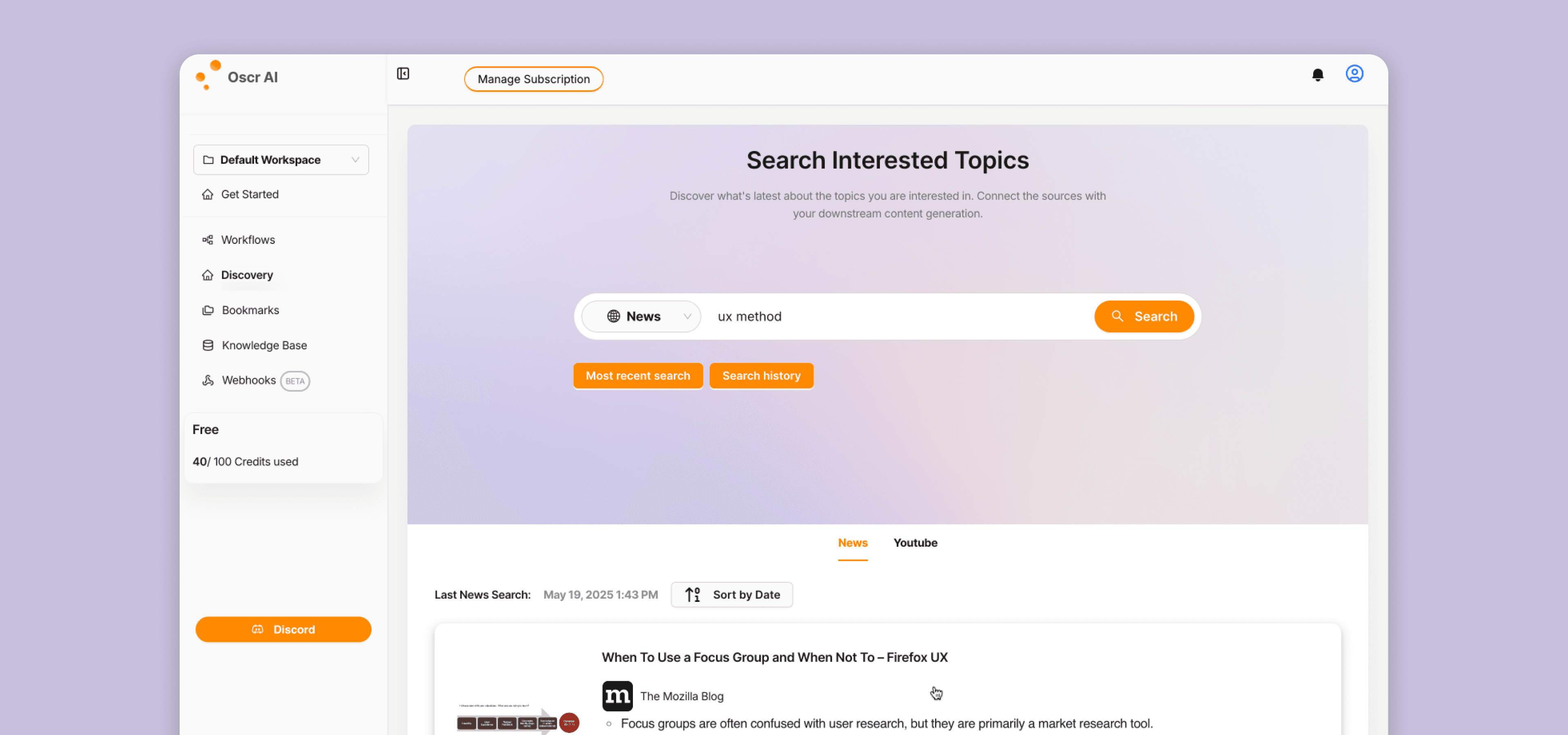
> Original website
Discovery & Research
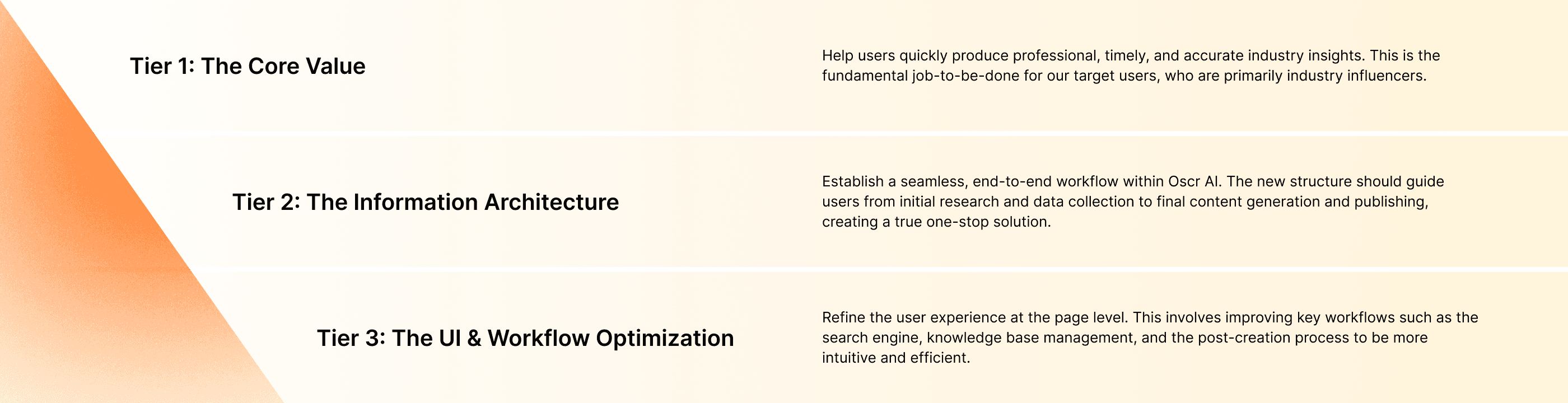
To deeply understand the problem space and user needs, I employed a multi-faceted research approach: User Feedback Analysis, Remote User Interviews & Usability Testing, and Stakeholder Interviews. Based on the research findings, I categorized the problems into a three-tiered framework to guide the design strategy.
> Defining the Problem Scope
Design Execution & Solutions
Tier 1 Solution: Enhancing Core Value
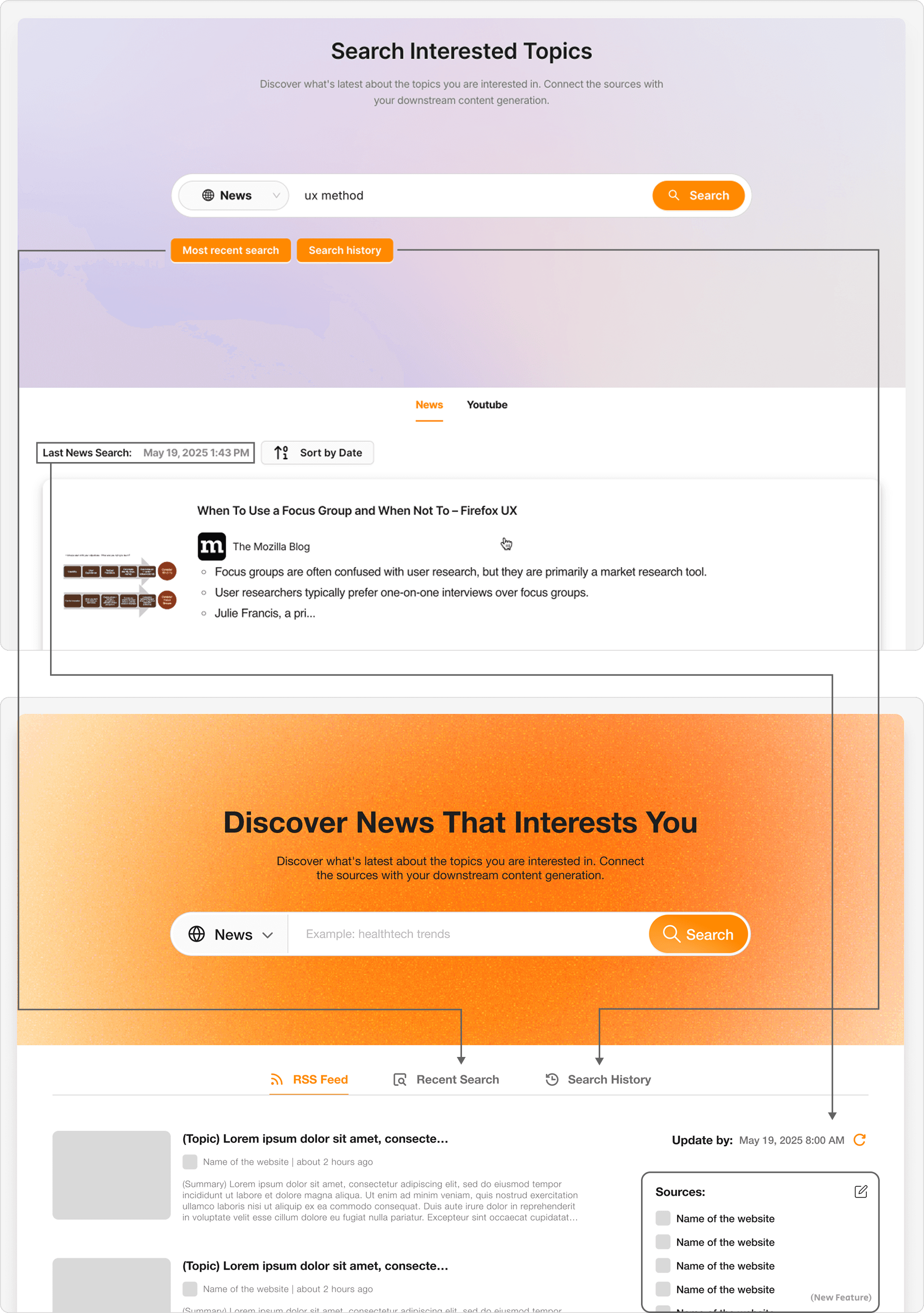
To help users access the latest and most relevant information, I redesigned the Discovery and Knowledge Base pages.
> Live implementation by the engineering team based on my designs.
Tier 2 Solution: A New, Streamlined Architecture
I restructured the website's Information Architecture (IA) to reflect the user's natural workflow.
> Before & After - Discovery page
Tier 3 Solution: Intuitive and Seamless UI
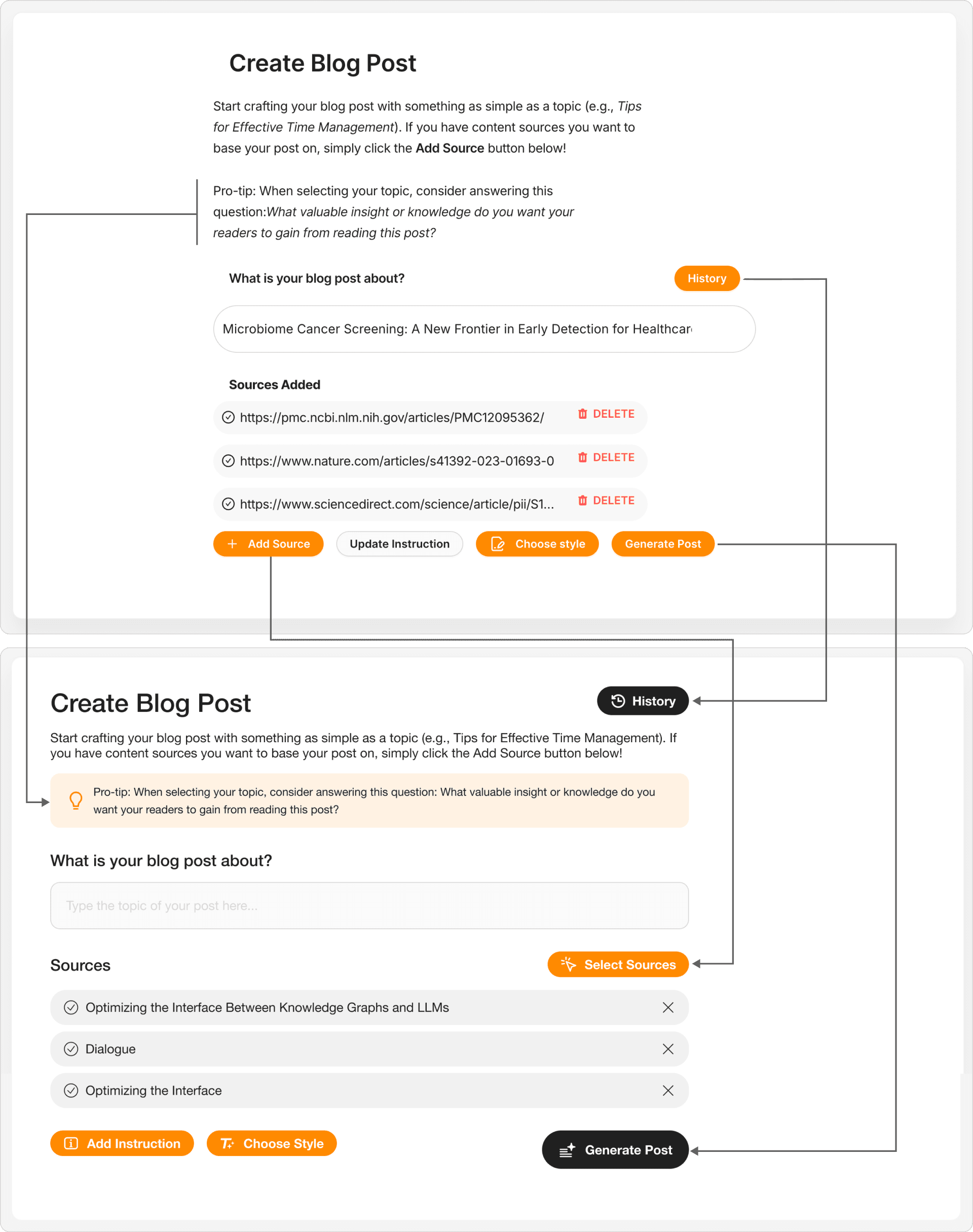
I focused on optimizing the UI and interaction design for key pages, such as Search Results and Create Blog Post.
> Before & After - Create Blog Post
Outcome & Impact
The final redesign successfully transformed Oscr AI into a more powerful and user-friendly platform. By restructuring the information architecture and refining key features based on user research, we enhanced the overall usability and aesthetic appeal of the website. The new, streamlined workflow significantly reduced the time and effort required for users to create professional, knowledge-based content.
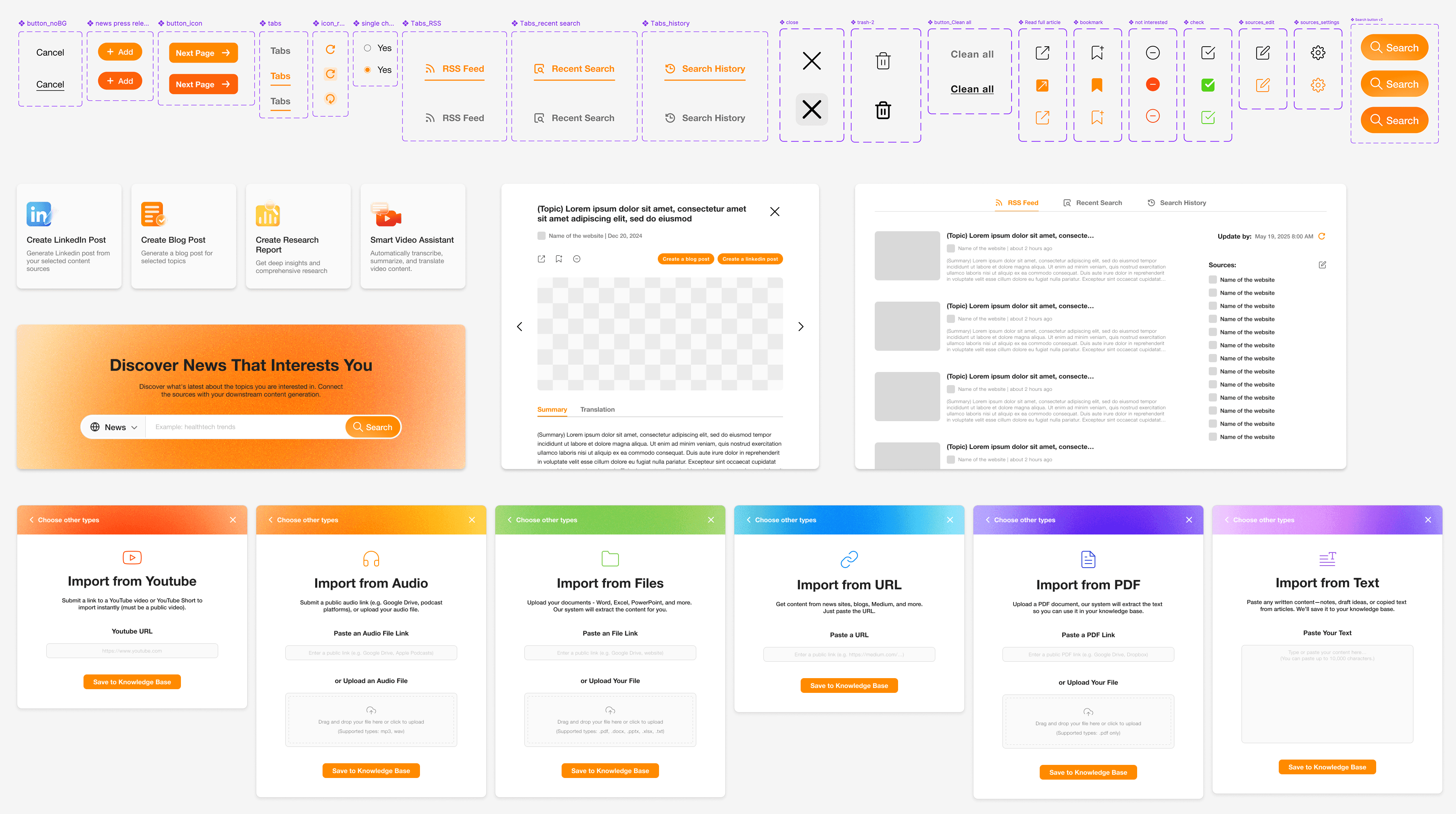
> UI component
Reflection & Learnings
This project was a valuable lesson in balancing user needs with business constraints in a fast-paced environment.
Balancing Speed and Process
With a tight deadline for launching new features, the UI design and user need definition phases often ran in parallel. This taught me to be agile and make informed design decisions quickly.
Designing for the Future
We knew users wanted an "auto-update" feature for articles, but it was technically complex and deferred to a later release. I proactively designed the layout to accommodate this future functionality, ensuring that it could be integrated smoothly without requiring a major redesign.
Next Steps
If given more time, I would follow up with post-launch user feedback and analytics to validate the long-term impact of the design changes and gather insights for future iterations.
© Oscr AI: Optimizing Usability & UI for AI Content Creation